Doomed Playtime Threat & Priority Tiers
Community rankings for chase pressure and toy-part tempo until 6 AM.
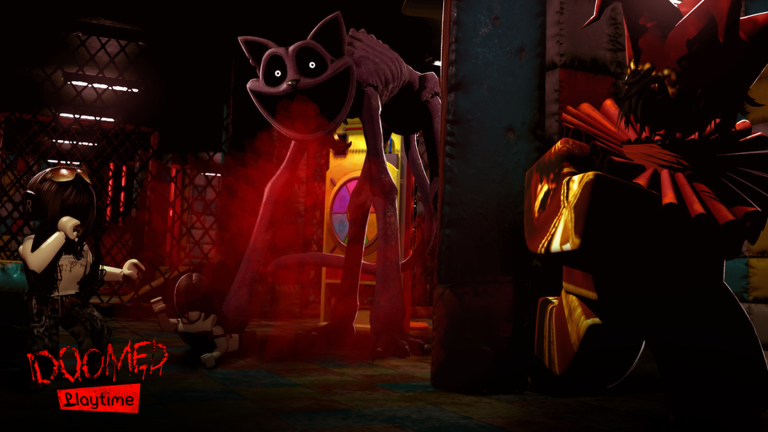
Welcome to the Tier List Hub for Doomed Playtime, the Roblox BETA horror survival experience by DekiFruiiti. These pages do not rank PvP fighters, duelists, or competitive loadouts. Instead they answer the questions that actually decide a night shift: which monsters create the most chase pressure, which toy-part tasks deserve first attention, and how a squad should reorder priorities when the clock is still hours from 6 AM.
Doomed Playtime is early-access / BETA. Monsters, Mini Huggies-style hazards, puzzle pillar layouts, and deposit routes can change without a polished official patch journal. Every tier below is community-style advice built from public gameplay patterns—not an official developer ranking. Treat S/A/B labels as rehearsal priorities, then adjust when a new BETA build shifts the factory.
What these tiers measure
Use this hub when your group needs a shared language before joining a server:
- Threat tiers focus on how hard a hazard is to ignore once it notices you—chase pressure, cornering risk, and how often it interrupts puzzle pillars or toy-part runs.
- Toy-part priority tiers focus on collecting and depositing under time pressure so the squad is not stuck scrambling near dawn.
- Team value matters more than solo highlight clips. A “lower” threat that repeatedly breaks pillar focus can still ruin a clean night.
Start with the detailed lists:
- Monster Threat Tier List — S/A/B chase-pressure rankings for Huggy-style threats, Mini Huggies, and other night-shift hazards.
- Toy Parts Priority Tier List — what to grab, carry, and deposit first while the clock is still moving.
How to use the hub during a night
- Skim Monster Threat Tier List and assign who watches corridors versus who stays on pillars.
- Open Toy Parts Priority Tier List and agree on deposit order before the first loud chase.
- Cross-check habits with the Survival Checklist so nobody forgets flashlight keys, crouch timing, or callouts.
- Keep the Controls Cheatsheet nearby if anyone is new to Q/F flashlights, Shift sprint, C crouch, or T help.
- After a failed night, note whether the wipe came from threat mismanagement or toy-part tempo, then re-read only the relevant child page.
Links that sharpen the rankings
Tiers work best when paired with practical guides:
- Getting Started for day-one orientation in the BETA factory.
- Survive Until 6 AM for the full night-shift loop.
- Puzzle Pillars Guide when pillar mistakes keep summoning attention.
- Evade Monsters Guide for movement habits that soften S-tier pressure.
- Updates Hub and Patch Notes Tracker when a Mini Huggies-era change may have shuffled priorities.
- Codes Hub if you are checking for freebies before a long session.
- Scripts Hub only if your wiki workflow covers that topic—never as a substitute for learning threat order.
- Links Hub for the official Roblox experience link and other wiki hubs.
Ranking disclaimers (read these)
- Not official. DekiFruiiti does not publish these letter grades.
- BETA drift. A patch can promote a B-tier annoyance into an A-tier problem overnight.
- Squad dependent. Four coordinated players can demote a threat that destroys a solo runner.
- Performance dependent. Laggy cameras and stutter (common on weaker devices) make every chase feel one tier higher—see Performance Tips and the official advice to play on a device that can keep up.
- Unofficial fan experience. Doomed Playtime is inspired by Poppy Playtime aesthetics and is not affiliated with Mob Entertainment.
Suggested session plan
Before you queue: open this hub, pick one threat focus and one toy-part focus, and share those two sentences in chat. During the night: only escalate to S-tier responses when chase pressure is real—do not abandon every pillar because something growled far away. After 6 AM (or a wipe): write one concrete change for the next run, then update your personal notes against the child tier pages.
If you only bookmark two URLs from this category, make them Monster Threat Tier List and Toy Parts Priority Tier List. Everything else on the wiki supports those two decisions.
Frequently Asked Questions
Quick answers for Doomed Playtime night-shift survivors.
Are these official Doomed Playtime rankings?
No. They are community-style priority tiers for night-shift survival. Treat them as rehearsal advice that can shift with BETA updates.
Why is this not a PvP fighter tier list?
Doomed Playtime is cooperative horror survival online. The useful rankings cover monster chase pressure and toy-part deposit priority, not duel metas.
Which child page should I read first?
Start with Monster Threat if chases keep ending your night, or Toy Parts Priority if you keep surviving fights but miss deposits before 6 AM.
How often should we revisit these tiers?
After any notable BETA change, especially Mini Huggies-era updates. Cross-check the Updates Hub and Patch Notes Tracker, then adjust S/A/B labels with your squad.