Evade Monsters in Doomed Playtime
Flashlight, blind, crouch, and sprint tactics for Roblox BETA chases.
Survive the hunters, not just the clock
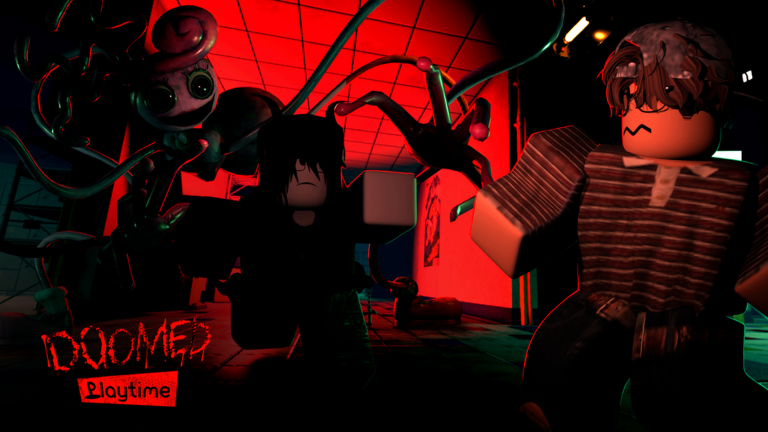
Doomed Playtime asks you to survive until 6 AM, but monsters are what make that sentence stressful. In this Roblox BETA horror survival experience by DekiFruiiti, creatures awaken during the night shift—Mini Huggies and other factory threats—while your squad solves puzzle pillars and collects toy parts online. This guide is about reading pressure, spending tools wisely, and escaping without turning every hallway into a highlight-reel death.
Early access disclaimer: spawn behavior and aggression can change after patches. Recheck Updates. This is an unofficial Poppy Playtime-inspired fan experience and is not affiliated with Mob Entertainment.
Tools that keep you alive
Memorize the survival kit before the first loud chase:
| Input | Role in a chase |
|---|---|
| F | Flashlight for reading space and interactables |
| Q | Blinding flashlight burst when a threat is already close |
| Shift | Sprint across open danger or to a called safe room |
| C | Crouch to quiet your movement and break obvious lines |
| T | Help prompts when you need a calm UI reminder |
Full table and tips: Controls. If you are brand new, pair this page with Getting Started.
Threat reading before you sprint
The worst deaths start with bad information. Before you burn stamina:
- Identify whether the monster is committing to you or patrolling nearby.
- Check whether a teammate is mid-pillar—your panic sprint through their room can doom the objective.
- Prefer a known corner chain over a random dark wing.
- Decide if this is a Q moment or a reposition moment.
If the answer is unclear, crouch first, gather audio, then move. Blind spam is how mid-night chases become unwinnable.
When to use Q vs F
F is your default. It helps you avoid walking into furniture, find the interact prompt, and keep squad navigation honest. Leaving it on forever can also broadcast your lane—use judgment.
Q is the panic button with a job: create a short window when a monster is already in your personal space or when a runner needs two seconds to finish a pillar. Call “blinding” so teammates do not waste a second blind on the same beat. After a successful blind, leave—do not admire the effect.
Sprint and crouch as a pair
Sprint (Shift) is for distance. Crouch (C) is for silence and angles. A clean escape often looks like:
- Sprint across the exposed floor
- Crouch around the next corner to break chase clarity
- Relight with F only when you need to confirm the next door
- Regroup instead of looping the same hallway forever
If you only sprint, you become loud and predictable. If you only crouch, you never create separation. Read Survive Until 6 AM for when evasion should yield to objective pacing.
Mini Huggies and “awakening” pressure
Community nights often center on Mini Huggies pressure and the feeling that the factory is waking up as the clock moves. For a dedicated playbook, open Mini Huggies Guide. Exact AI quirks can differ by BETA build, so treat these as habits rather than frozen hitbox science:
- Respect audio; if the vibe suddenly changes, stop greedy looting.
- Do not finish toy parts with your back to an open door.
- Keep one player watching while another interacts—especially on Puzzle Pillars.
- Assume late-night monsters punish slow rotates more than early-night ones—especially on Deep Sleep Mode.
When the community ranks which threats deserve earliest respect, check Tier List for the current BETA consensus.
Co-op callouts that prevent double downs
Online multiplayer turns evasion into a team sport:
- “On me—left hall.”
- “Don’t rotate through A.”
- “Blind in three.”
- “I’m down—skip save if contested.”
- “Regroup safe room.”
Hero rescues through a camped door wipe more lobbies than the original chase. Sometimes the correct play is to protect the clock and the remaining runners.
Performance can fake bad AI
If camera shake lags or frames hitch during chases, you will “fail” evasion that was actually unreadable. The developer’s own guidance: frequent lag, laggy camera shaking, or glitches usually mean the device is struggling. Fix that with Performance Tips before grinding the same death corner.
What not to do
- Do not install random ESP/kill-aura scripts because a thumbnail promised easy nights—see Scripts.
- Do not wait for promo codes to make monsters nicer—see Codes.
- Do not ignore the Survival Checklist mid-run when callouts fall apart.
- Do not treat this page as Mob Entertainment canon; it is Roblox fan-game strategy.
Practice drills
- One night where you may only blind twice—force better positioning.
- One night where the watcher never touches pillars—pure coverage practice.
- One night focused on crouch corners instead of pure sprint loops.
- Review a wipe: was it information, tool spend, or FPS?
Watch the embedded chase video for visual timing, then return to the Guides Hub for the rest of the curriculum.
Closing
Evading monsters is resource management under fear. Light what you must, blind what you must, crouch when silence helps, and sprint with a destination. Keep teammates informed, protect pillar commits, and remember the real finish line is still 6 AM—while Doomed Playtime remains BETA.
Frequently Asked Questions
Quick answers for Doomed Playtime night-shift survivors.
What is the difference between F and Q?
F is the regular flashlight for vision. Q is the blinding flashlight burst for close threats or creating a short escape/finish window.
Should I always sprint away from Mini Huggies?
Not always. Sprint to create distance, then use crouch corners and callouts. Pure endless sprinting is loud and predictable.
When should teammates save each other?
Only when the lane is readable and you will not feed a second down. Sometimes regrouping and protecting the clock is correct.
Why do chases feel impossible on my device?
Lag and camera shake can make evasion unreadable. Follow Performance Tips and the developer’s advice about struggling hardware.
Are monster patterns final?
No. Doomed Playtime is BETA / early access, so behavior can change after updates. Recheck Updates and adjust habits.