Doomed Playtime Puzzle Pillars Guide
Clear pillar objectives safely while the factory night closes in.
Why pillars decide the night
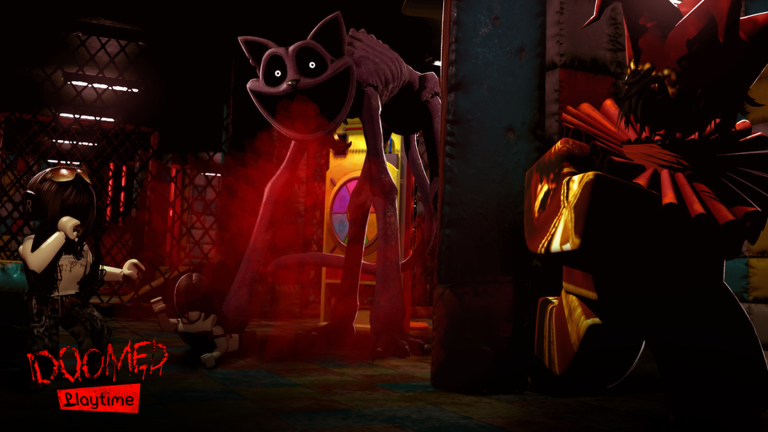
Puzzle pillars are the backbone of progression in Doomed Playtime, the Roblox BETA horror survival experience by DekiFruiiti. Surviving until 6 AM is the win condition, but pillars—paired with toy-part collection—are how you actually push the night forward instead of hiding in a closet until the clock embarrasses you. This guide teaches commit discipline, co-op coverage, and recovery when Mini Huggies or other monsters interrupt an interaction.
This is early access and an unofficial Poppy Playtime-inspired fan experience—not affiliated with Mob Entertainment. Pillar behaviors can change after patches; cross-check Updates when something suddenly feels different.
Pillar fundamentals
A pillar commit is a short contract with your squad:
- Announce the target room.
- Confirm a watcher is covering the entry lane.
- Light the approach with F if darkness hides the interactable.
- Start the puzzle interaction and stay committed unless danger is called.
- Call “done” or “abort” so nobody double-stacks a finished objective.
Silent pillar attempts are the number-one wipe pattern for new lobbies. If you are still learning the map, finish Getting Started first.
Toy parts and pillars work together
Toy parts are not a separate mini-game you save for “later if we feel like it.” They are part of the same progress economy as pillars. Good squads chain a cleared pillar into a nearby part pickup while the lane is still warm, then rotate to a safer room before the next big commit.
Bad squads scatter: one player starts a pillar, two chase decorative side rooms, and the fourth AFKs in a vent. When the monster arrives, nobody knows which progress mattered. Keep a shared mental checklist—or literally tick boxes on the Survival Checklist.
Safe commit checklist
Use this before every non-trivial pillar:
- Sound check — pause a second; do you hear chase audio?
- Exit plan — where do you run if the watcher yells?
- Blind budget — who still has a meaningful Q ready?
- Sprint path — is the Shift route blocked by furniture or teammates?
- Crouch option — can C break line of sight without trapping you?
If two of those answers are “no,” delay the commit. Clock pressure is real, but a failed pillar that costs two downs is worse than a thirty-second wait. Pacing context lives on Survive Until 6 AM.
Watcher duties during pillar work
The watcher is not decorative. Their job is to make the runner’s interaction possible:
- Hold the doorway or the longest sightline into the room.
- Keep a calm F light on approach angles without blinding the runner’s screen if possible.
- Call early—before the monster is already on the runner’s back.
- Own the Q decision when a threat commits mid-puzzle.
- Tell the runner to abort if the room is lost; pride is not progress.
Monster-specific movement and blind timing are covered in Evade Monsters. Controls reference: Controls.
How to recover after an interrupt
Interrupts happen. When a pillar is abandoned:
- Survive first—break contact using crouch, sprint corners, or a blind.
- Regroup in a called safe room.
- State whether the pillar was unfinished, contested, or completed.
- Re-approach from a different angle if the old door is camped.
- Only send one runner back in until the lane is stable.
Do not send the whole lobby to “finish it real quick.” That turns one contested pillar into a team wipe.
Communication scripts that actually work
Short phrases beat essays:
- “Pillar A commit—need watch.”
- “Blind ready.”
- “Abort left—meet spawn hall.”
- “Part secured, rotating.”
- “Pillar done—mark next.”
If someone is new, link them the Guides Hub between attempts instead of mid-chase lectures.
Performance and pillar timing
Pillar interactions feel awful when the client hitch-stutters. The developer notes that frequent lag, laggy camera shaking, or glitches usually mean the device is struggling. If your interact delay is fake-dying you, fix settings with Performance Tips before grinding the same pillar twenty times.
What not to outsource
Pillars are meant to be played. Random “auto solve” scripts are account-risk territory and often outdated in BETA. Read Scripts for the wiki’s safety stance. Likewise, promo codes will not replace pillar skill—see Codes for honest status only.
Practice plan
- Warm up controls for two minutes.
- Clear one pillar with perfect callouts—even if it is the easiest one.
- Chain one toy-part pickup immediately after.
- Survive the rotate without a down.
- Repeat with a harder room.
Watch the embedded video for visual pillar pacing, then compare your squad habits against Tier List priorities as the community ranks which objective patterns are worth early-night risk during this BETA window.
Closing
Puzzle pillars reward patience, light, and teamwork. Commit with a watcher, finish what you start, fold toy parts into the same route, and abort without ego when the factory answers back. Do that consistently and 6 AM stops feeling mythical—while Doomed Playtime is still evolving in early access.
Frequently Asked Questions
Quick answers for Doomed Playtime night-shift survivors.
What are puzzle pillars for?
They are core progression objectives. Clearing pillars (with toy parts) pushes the night forward while you try to survive until 6 AM.
Should I start a pillar alone?
Only if the area is clearly safe. In multiplayer, announce the commit and keep a watcher on the entry lane whenever possible.
What if a monster interrupts mid-puzzle?
Abort, survive, regroup, then re-approach with a fresh plan. Do not dump the whole squad into a contested room.
Do toy parts matter if we focus on pillars?
Yes. Toy parts are part of the same progress loop. Chain nearby parts after a clear while the lane is still safe.
Can scripts solve pillars for me?
Do not rely on that. BETA changes break tools, and executors risk your account. Learn fair commits and read the Scripts Hub for safety notes.