Doomed Playtime Performance Tips
Cut lag and crashes so BETA horror stays playable and fair.
Official warning, plain English
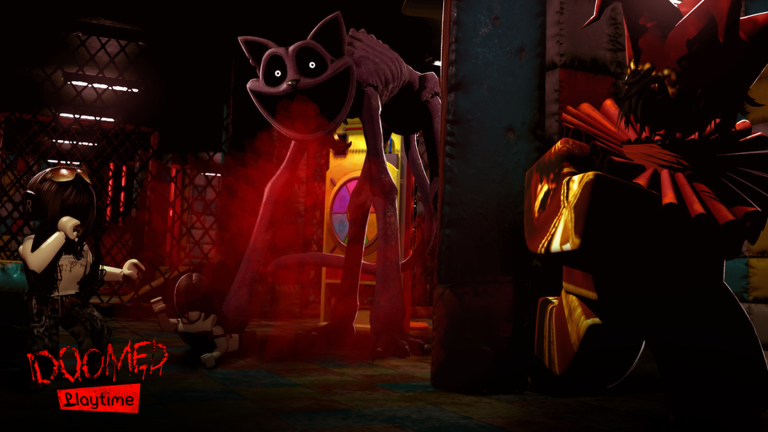
The Doomed Playtime Roblox page is direct: for the best experience, play on a device with decent performance. Frequent lag, laggy camera shaking, or glitches usually mean your device is struggling to keep up. Related descriptions also note that frequent lag or crashes often mean the hardware cannot maintain the session. This guide turns that official advice into a practical checklist for BETA nights by DekiFruiiti—so you can actually use flashlight tools, clear pillars, and chase 6 AM without fighting a slideshow.
This is early access. Performance can regress or improve after content drops—track notes on Updates. The game is an unofficial Poppy Playtime-inspired fan experience and is not affiliated with Mob Entertainment.
Why FPS problems feel like “broken monsters”
When frames hitch:
- Q blinds fire late
- Crouch (C) and sprint (Shift) start a beat behind your intent
- Audio and visuals desync, so Mini Huggies pressure feels unfair
- Pillar interacts double-tap or cancel
Before rewriting your entire strategy from Evade Monsters, stabilize the client. Skill guides assume a readable game.
Quick triage (five minutes)
- Close background apps — browsers with dozens of tabs, Discord hardware acceleration fights, recording software, and store pages all steal GPU/CPU.
- Rejoin a fresh server — one bad multiplayer instance can hitch harder than another.
- Lower Roblox graphics quality manually instead of leaving it on automatic spikes.
- Disable heavy overlays (FPS counters stacked on RGB software stacked on browser overlays).
- Test a calm room — toggle F, crouch, sprint. If inputs still feel delayed with nobody nearby, it is a device/session issue, not “the AI cheating.”
If you are brand new, finish basic binds on Controls after the client is stable.
Roblox graphics settings that usually help horror maps
Exact menu names vary slightly by platform, but the goals are stable:
- Cap or lower graphics quality until camera shake stops hitching
- Turn off expensive post-effects if your menu exposes them
- Prefer stable FPS over maximum shadows while learning pillars
- On laptops, plug in power and set OS plan to better performance
- On mobile, free storage space and avoid play-while-downloading huge apps
Horror multiplayer with AI and dark lighting is costlier than a flat lobby obby. Respect that while the experience remains BETA.
Network vs device lag
Not every stutter is GPU.
- Device lag: camera shake tears, universal hitching, particle pops, crashes.
- Network lag: rubber-banding, delayed teammate positions, delayed interact confirmations while FPS looks fine.
Fixes differ. Device lag wants graphics/process cuts. Network lag wants better Wi-Fi/Ethernet, fewer VPN hops, and sometimes a different server region/instance. If teammates are smooth and only you freeze, start with device steps.
Crash and freeze protocol
If the client hard-locks mid-night:
- Force-close Roblox cleanly and relaunch from the official place.
- Rejoin with fewer background tasks.
- Avoid instantly tabbing into a 4K stream on the same machine.
- Note whether crashes cluster after a patch—check Updates.
- Do not “fix” crashes by installing random executors; that often worsens stability and risks the account. See Scripts.
Squad adjustments for mixed hardware
Online multiplayer lobbies often mix a gaming PC with a phone. Play fair:
- Put the strongest machine on runner routes that need precise pillar timing (Puzzle Pillars).
- Let a low-end player take watcher callouts from safer angles.
- Call objectives earlier so hitching teammates have reaction time.
- Agree to skip ultra-dark optional rooms if someone’s camera becomes unreadable.
Use the Survival Checklist to keep the plan short when performance stress raises tempers.
What will not fix performance
- Promo codes — they do not upgrade your GPU; see Codes
- Buying cosmetics in unrelated games
- Memorizing more tips from Survive Until 6 AM while still running max graphics on a toaster
- Blaming Mob Entertainment (wrong company) or demanding a “full release polish” timeline from a Roblox BETA fan experience
Practice after you stabilize
Once FPS is acceptable:
- Replay a chase corner that used to feel impossible.
- Retry a pillar commit with proper watcher coverage.
- Compare whether your “AI problem” was actually input delay.
- Only then climb difficulty with longer 6 AM attempts.
Watch the embedded video on a machine that already runs acceptably—studying footage on a dying laptop teaches panic, not routing. For broader learning paths, return to the Guides Hub and Getting Started. When the community ranks “playable settings” habits, skim Tier List for soft priorities.
Closing
The developer already told you the truth: struggling hardware produces lag, shaky cameras, glitches, and crashes. Believe that message, lower the load, and give your squad a fair client. Clean performance makes every other Doomed Playtime guide—controls, pillars, monsters, and the race to 6 AM—finally usable during early access.
Frequently Asked Questions
Quick answers for Doomed Playtime night-shift survivors.
What does the developer say about lag?
Frequent lag, laggy camera shaking, or glitches usually mean your device is struggling. Play on hardware with decent performance for the best experience.
Can codes or scripts fix FPS?
No. Codes do not upgrade hardware, and random executors often worsen stability and risk your account.
How do I tell network lag from device lag?
Device lag hits camera/FPS globally. Network lag rubber-bands positions while frames may still look smooth. Fix the matching cause.
Should low-end players avoid the game entirely?
Not necessarily. Lower graphics, close background apps, take watcher roles, and rejoin fresh servers. If crashes persist, take breaks between BETA sessions.
Why did performance change after an update?
Doomed Playtime is BETA / early access. New content can raise cost. Check Updates and retune graphics after major patches.